Instructions for finding computer name

1. Open Settings on your computer.
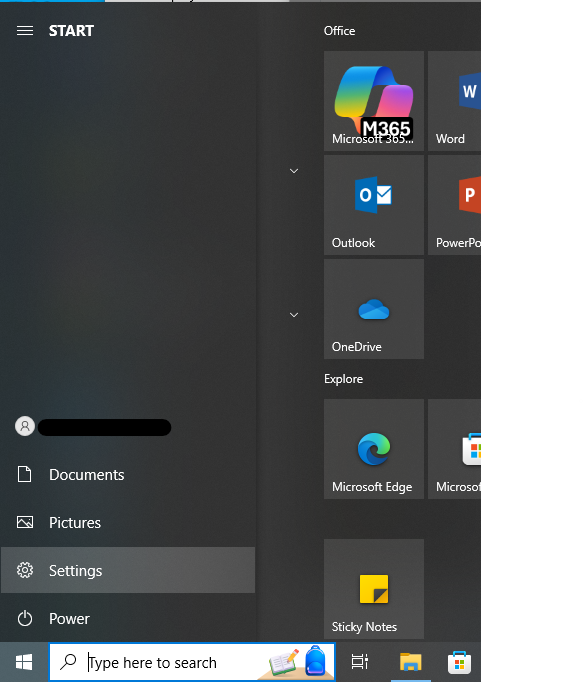

In the navigational area for windows computers, Settings is highlighted.

2. Click into the category titled System.
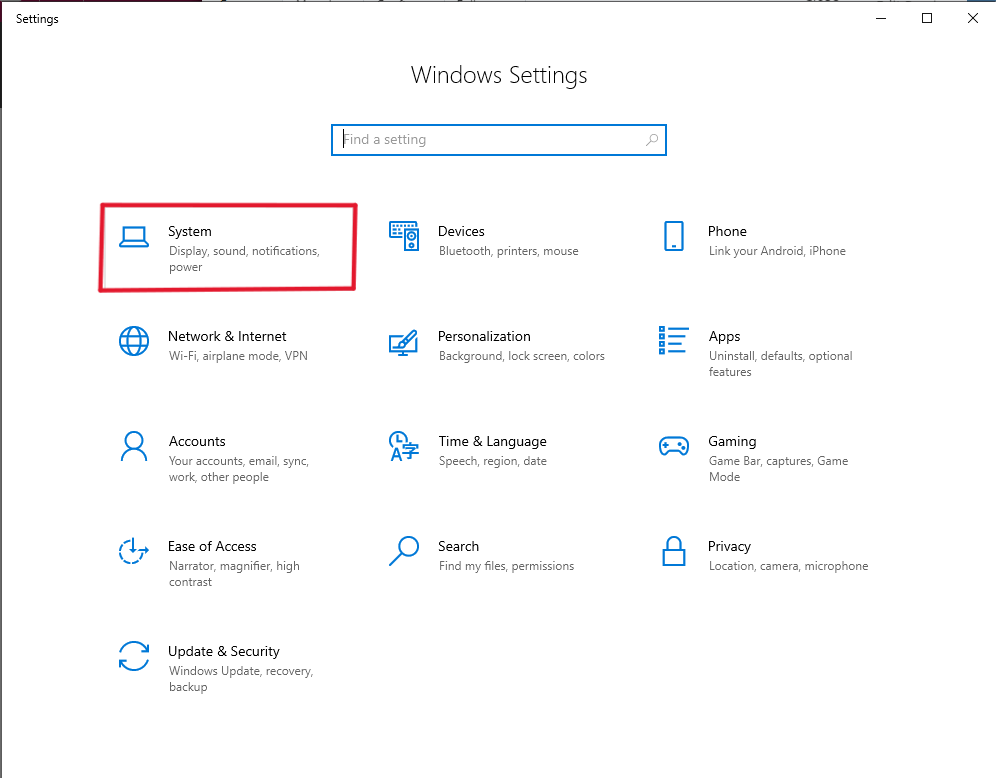
The settings window on a windows computer, the option titles "Stystem" is outlined in red.

3. In the left-hand navigation menu, click on the option at the bottom, About.
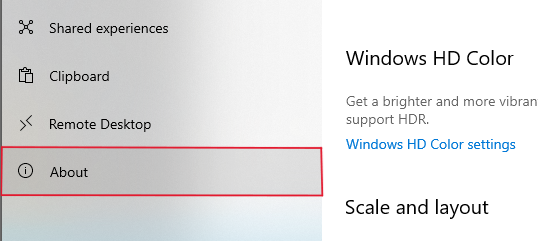
The left-hand navigation menu for windows' system settings. The option for "About" is outlined in red

4. The Name of your computer should be near the top of this page under the heading "Device Specifications."
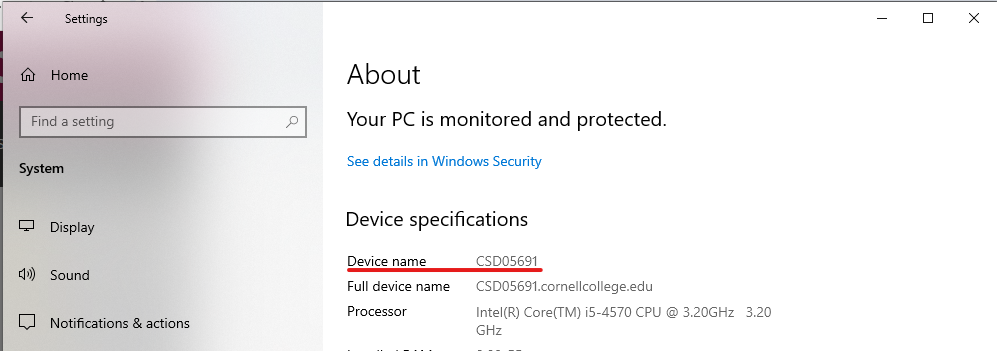
The sytem settings-About page on Windows, the computer name is underlined in red